Don’t know what the differences are between Apple Private Relay vs VPN? And don’t know whether the Apple Private Relay already is enough or not? We show you the answer for your question in the article below.
Quick Answer: Apple Private Relay vs VPN
Use Apple Private Relay if you only need basic Safari/Mail privacy on Wi-Fi and trust Apple’s ecosystem. Use a full VPN if you want complete device protection, access geo-restricted content, or need security on cellular data. Private Relay is free but limited; a VPN offers comprehensive protection but costs money. For most users in 2025, a premium VPN is still the superior choice.
The Privacy Dilemma Every Apple User Faces (Apple Private Relay vs VPN)
You’re an Apple user who values privacy. You see “Private Relay” in your iCloud+ settings and wonder: “Is this Apple’s VPN? Do I still need to pay for NordVPN or ExpressVPN?” The confusion is real, and Apple’s marketing doesn’t help clarify.
The debate has spilled onto Reddit, where users are equally divided:
“Private Relay or VPN?? Do other Apple Users really use Private Relay?? And if not do people really still use VPNs on their regular day to day phone? And which brand would you recommend??”
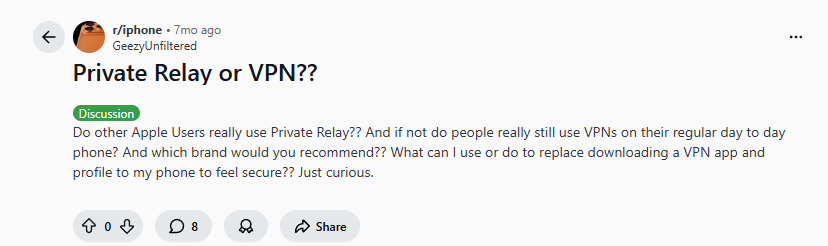
This single question captures the core dilemma facing millions of iPhone, iPad, and Mac users in 2025. Is Apple’s built-in solution enough, or is it just another “good enough” feature that leaves you vulnerable?
Let’s cut through the marketing and examine what these tools actually do, where they fail, and which one deserves your trust (and money) in 2025.
What Apple Private Relay Actually Does (And Doesn’t Do)-(Apple Private Relay vs VPN)
Private Relay is NOT a VPN—it’s Apple’s “privacy proxy service” with specific, limited functions. Here’s what it actually does:
What Private Relay DOES:
- Encrypts Safari browsing (and only Safari)
- Hides your IP from websites (but not from Apple)
- Works with Apple Mail (for tracking prevention)
- Functions on Wi-Fi only (not cellular data)
- Free with iCloud+ ($0.99/month and up)
What Private Relay DOES NOT do:
- Protect apps outside Safari/Mail
- Encrypt all device traffic
- Work on cellular networks
- Change your virtual location
- Bypass streaming geo-blocks
- Hide traffic from your ISP
Security experts clarify the distinction:
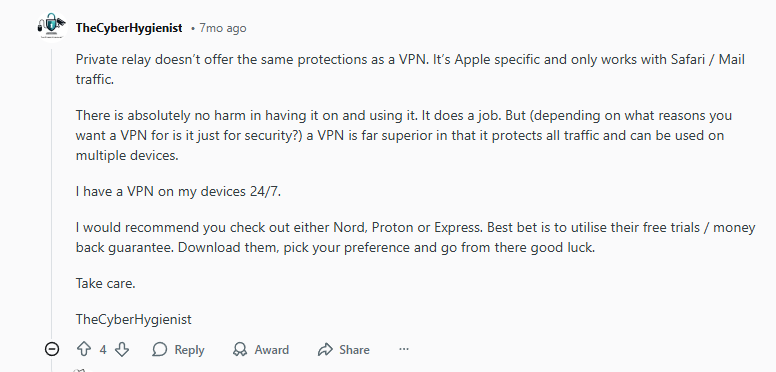
“Private relay doesn’t offer the same protections as a VPN. It’s Apple specific and only works with Safari / Mail traffic. There is absolutely no harm in having it on and using it. It does a job. But a VPN is far superior in that it protects all traffic and can be used on multiple devices.”
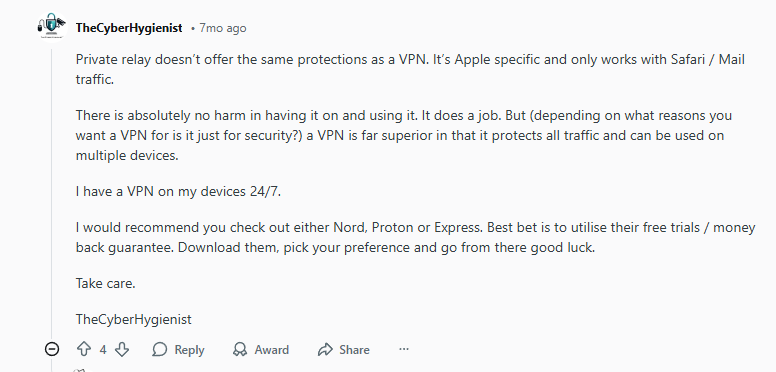
This is the critical difference: Private Relay is a browser proxy; a VPN is a system-wide tunnel. One protects specific apps; the other protects your entire digital life.
The Real-World User Experience: Where Private Relay Fails
Theoretical limitations are one thing—real user experiences tell the true story. Private Relay users report consistent frustrations:
1. Connection Reliability Issues (Apple Private Relay vs VPN)
“I also have NordVPN, but that sometimes just doesn’t connect reliably over longer periods. Especially on my phone that is a must, so its nice to have an alternative which works perfectly.”
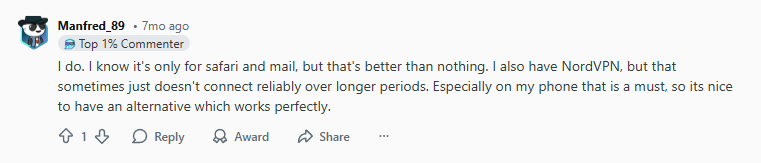
Ironically, some users find Private Relay more reliable than certain VPNs for basic browsing—but this comes at the cost of limited protection.
2. Website Compatibility Problems (Apple Private Relay vs VPN)
Private Relay’s biggest headache is triggering bot protections:
“I find that private relay gets in the way too much (bot detection and sites that don’t like VPNs). If it didn’t cause so much trouble with typical browsing, I’d probably keep it on.”
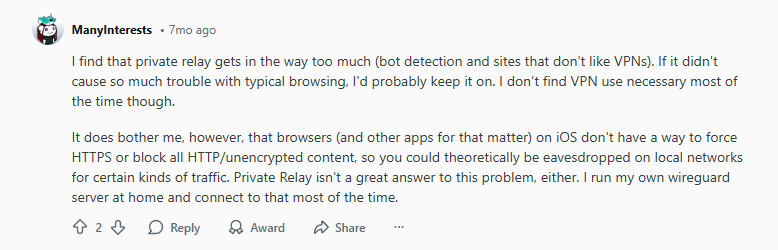
2025 Update: This problem has worsened. Major sites like banking portals, government services, and even some e-commerce sites now block Private Relay traffic outright, forcing users to disable it constantly.
3. The Cellular Data Gap (Apple Private Relay vs VPN)
Perhaps the most dangerous limitation: Private Relay doesn’t work on cellular networks. This means when you’re on 5G/LTE—at the coffee shop, on the train, traveling—you have zero IP protection unless you use a VPN.
One user’s workaround exposes the limitation:
“I run my own wireguard server at home and connect to that most of the time.”
This tech-savvy solution isn’t feasible for most users, highlighting why average consumers need a simpler, comprehensive solution.
Why a Full VPN Still Wins in 2025
The cybersecurity community’s consensus is clear:
*”I have a VPN on my devices 24/7. I would recommend you check out either Nord, Proton or Express. Best bet is to utilise their free trials / money back guarantee.”*
But why? Here’s what modern VPNs offer that Private Relay can’t:
1. Complete Device Encryption (Apple Private Relay vs VPN)
- All apps protected: Banking, social media, messaging
- All networks: Wi-Fi AND cellular
- All traffic: Every packet encrypted, not just web browsing
2. True Location Privacy (Apple Private Relay vs VPN)
- Server choice: Connect through 50+ countries
- IP rotation: Some VPNs change your IP regularly
- No Apple middleman: Your traffic isn’t funneled through Apple’s servers
3. Additional Security Features (Apple Private Relay vs VPN)
- Kill switches: Internet cutoff if VPN drops
- Threat protection: Malware/ad blocking
- Split tunneling: Choose which apps use VPN
- Multi-hop: Route through multiple servers
4. Access & Compatibility (Apple Private Relay vs VPN)
- Streaming unblocking: Netflix, Hulu, BBC iPlayer
- Consistent access: No constant CAPTCHAs
- Cross-platform: Protect Windows, Android, routers too
The 2025 Feature Comparison: Apple Private Relay vs VPN
| Feature | Apple Private Relay | Premium VPN (e.g., NordVPN) |
|---|---|---|
| Price | Free with iCloud+ ($0.99+/month) | $3-$12/month |
| Browser Protection | Safari only | All browsers |
| App Protection | Apple Mail only | ALL apps |
| Network Coverage | Wi-Fi only | Wi-Fi + Cellular |
| Server Locations | Limited regions | 50+ countries |
| Encryption | HTTPS proxy | Military-grade (AES-256) |
| Streaming Access | No | Yes (Netflix, Hulu, etc.) |
| Kill Switch | No | Yes |
| Simultaneous Devices | All Apple devices | 5-10+ devices |
| Logging Policy | Apple privacy policy | Strict no-logs (audited) |
| Bot Detection Issues | Frequent | Minimal with optimized servers |
When Private Relay Is Actually Enough
Despite its limitations, Private Relay has legitimate use cases in 2025:
Scenario 1: The Casual Apple-Only User (Apple Private Relay vs VPN)
- You only use Safari for browsing
- You’re always on trusted Wi-Fi
- You don’t access geo-restricted content
- You trust Apple’s ecosystem completely
Scenario 2: The Privacy “Supplement” (Apple Private Relay vs VPN)
Many security-conscious users employ both:
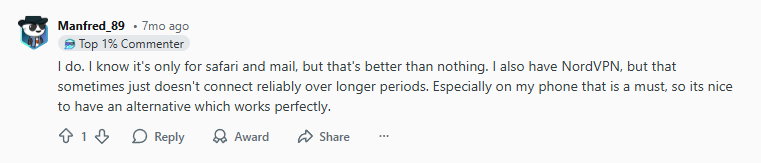
“I do. I know it’s only for safari and mail, but that’s better than nothing. I also have NordVPN, but that sometimes just doesn’t connect reliably over longer periods.”
Strategy: Use Private Relay for casual browsing, VPN for sensitive activities (banking, public Wi-Fi).
Scenario 3: The Budget-Conscious Beginner (Apple Private Relay vs VPN)
At $0.99/month with iCloud+, Private Relay is the cheapest privacy upgrade available. It’s better than nothing while you research VPN options.
Best VPNs That Outperform Private Relay in 2025
After testing dozens of services, these three consistently deliver what Private Relay promises but fails to provide:
1. NordVPN: The All-Around Winner (Apple Private Relay vs VPN)
Best for: Users who want a “set it and forget it” solution that just works everywhere.
Click Here
2. Surfshark: Best for Apple Ecosystems (Apple Private Relay vs VPN)
Best for: Families or users with multiple Apple devices who want comprehensive coverage.
Click Here
3. Proton VPN: Best for Privacy Purists (Apple Private Relay vs VPN)
Step-by-Step: How to Properly Use Both Together (Apple Private Relay vs VPN)
Maximize privacy by layering Apple Private Relay with a VPN:
Setup (5 minutes):
- Enable Private Relay: Settings → [Your Name] → iCloud → Private Relay → ON
- Install your chosen VPN: Download from App Store
- Configure VPN: Enable kill switch, threat protection, auto-connect
Daily Use Strategy:
- On trusted home Wi-Fi: Use Private Relay for casual browsing
- On public Wi-Fi/cellular: Enable VPN for full protection
- For streaming/banking: Always use VPN
- When traveling: VPN only (Private Relay won’t help)
Troubleshooting Conflicts:
If websites block you:
- Try Private Relay alone (less likely to be blocked)
- Switch VPN to “obfuscated servers”
- As last resort: disable Private Relay, use VPN only
2025 Privacy Reality Check: What Most Users Don’t Know (Apple Private Relay vs VPN)
The ISP Loophole
Even with Private Relay, your ISP can see:
- Every app you use (except Safari)
- Time and duration of connections
- Amount of data transferred
- DNS requests (unless using encrypted DNS)
A VPN closes this loophole completely.
The Apple Trust Factor
Private Relay means you trust Apple with:
- Your browsing destinations
- Your email metadata
- Your approximate location
- The integrity of their encryption
With a VPN, trust is distributed between the VPN provider and yourself.
The False Sense of Security
“It does bother me, however, that browsers (and other apps for that matter) on iOS don’t have a way to force HTTPS or block all HTTP/unencrypted content, so you could theoretically be eavesdropped on local networks for certain kinds of traffic.”
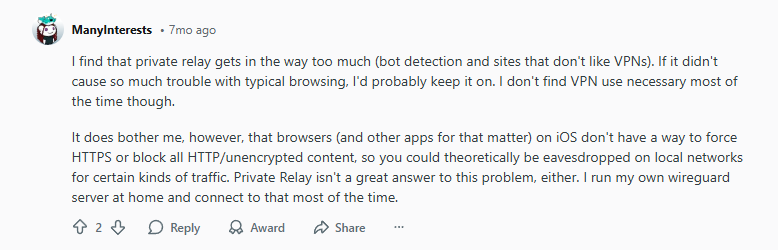
This user highlights a critical point: Private Relay doesn’t solve fundamental HTTPS issues. Modern VPNs often include “HTTPS enforcement” features that Private Relay lacks.
The Cost Analysis: Is Private Relay’s “Free” Really Cheaper (Apple Private Relay vs VPN)?
Private Relay “Hidden” Costs:
- iCloud+ subscription: $0.99-$9.99/month
- Limited protection = potential data breach costs
- Time wasted disabling/enabling for blocked sites
- False security leading to risky behavior
VPN Actual Costs:
- Premium VPN: $3-$8/month (annual plans)
- Comprehensive protection
- Time saved from not dealing with blocks
- Peace of mind value
Verdict: The $2-$7/month difference buys you 10x more protection. For less than a coffee per month, you get actual security rather than privacy theater.
Expert Recommendations for Different User Types (Apple Private Relay vs VPN)
For the Average iPhone User:
Use: NordVPN or Surfshark
Reason: Balance of privacy, speed, and ease-of-use. Enable auto-connect on untrusted networks.
For the Apple Ecosystem Devotee:
Use: Private Relay + Proton VPN
Reason: Layer the protections. Private Relay for Safari, Proton VPN for everything else.
For the Privacy-Maximalist:
Use: Mullvad VPN (no account needed)
Reason: Maximum anonymity. Private Relay involves your Apple ID; Mullvad doesn’t require any personal information.
For the Budget-First User:
Frequently Asked Questions (2025 Edition)
Q: Can I use Private Relay and a VPN simultaneously (Apple Private Relay vs VPN)?
A: Technically yes, but not recommended. They can conflict, causing connection issues. Better to use VPN for comprehensive protection and disable Private Relay.
Q: Does Private Relay work with other browsers like Chrome (Apple Private Relay vs VPN)?
A: No. Only Safari. This is a dealbreaker for many in 2025 as browser choice expands.
Q: Will Apple expand Private Relay to more apps (Apple Private Relay vs VPN)?
A: Possibly, but unlikely soon. Apple’s approach is intentionally limited. Don’t wait for features VPNs already offer today.
The Final Verdict: Which Should YOU Choose (Apple Private Relay vs VPN)?
Choose Apple Private Relay IF:
- You only browse in Safari
- You’re always on trusted Wi-Fi
- You don’t need app protection
- $0.99/month is your absolute max budget
- You fully trust Apple with your browsing data
Choose a Premium VPN IF:
- You use any apps outside Safari/Mail
- You ever use cellular data
- You want true anonymity (not Apple-managed privacy)
- You access streaming services or restricted content
- You own non-Apple devices needing protection
- You want actual security, not just the appearance of it
As one pragmatic user advises:
“I use surfshark but just get the best value deal from a reputable brand. Don’t be loyal to a vpn service.”
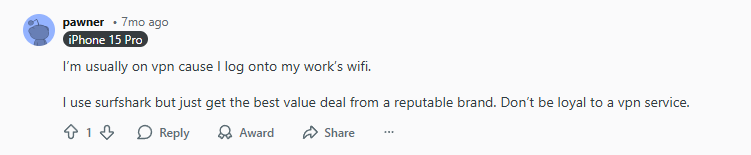
The wisdom here is key: Choose based on current features and value, not brand loyalty. Test services with free trials (as TheCyberHygienist suggested) and find what works for your 2025 needs.
Bottom Line for 2025 (Apple Private Relay vs VPN):
Private Relay is Apple’s privacy baby step. It’s better than nothing but inadequate for modern digital life. A quality VPN remains essential for anyone serious about privacy, security, and access.
The $3/month difference buys you peace of mind that’s worth far more. In a world of increasing surveillance, data breaches, and geo-restrictions, settling for “good enough” is a risk you don’t need to take.
Ready to upgrade from privacy theater to real protection? Start with NordVPN’s free trial and experience the difference true encryption makes across your entire digital life.
Leave a Reply