Quick Answer: Does iPhone Have a Built-in VPN (iPhone VPN Toggle)?
No, iPhone does NOT include a free VPN service. What you see in Settings (iPhone VPN toggle) is a VPN client/framework that allows you to connect to third-party VPN services (like NordVPN or your workplace VPN). You still need to subscribe to a VPN provider or set up your own server. iCloud+ Private Relay is Apple’s privacy feature, but it’s not a full VPN—it only protects Safari and Mail on Wi-Fi.
The Confusion Every iPhone User Experiences (iPhone VPN Toggle)
You’re scrolling through iPhone Settings, and you see it: “VPN” right there in the main menu. It shows “Not Connected” or “Connecting…” just like Wi-Fi or Bluetooth. Naturally, you think: “Great! Apple includes a free VPN!” But when you tap it… confusion begins.
This exact misunderstanding sparked a Reddit discussion that perfectly captures the widespread confusion:
“What does this built-in VPN do? Does it have all the functions of a proper paid VPN?”
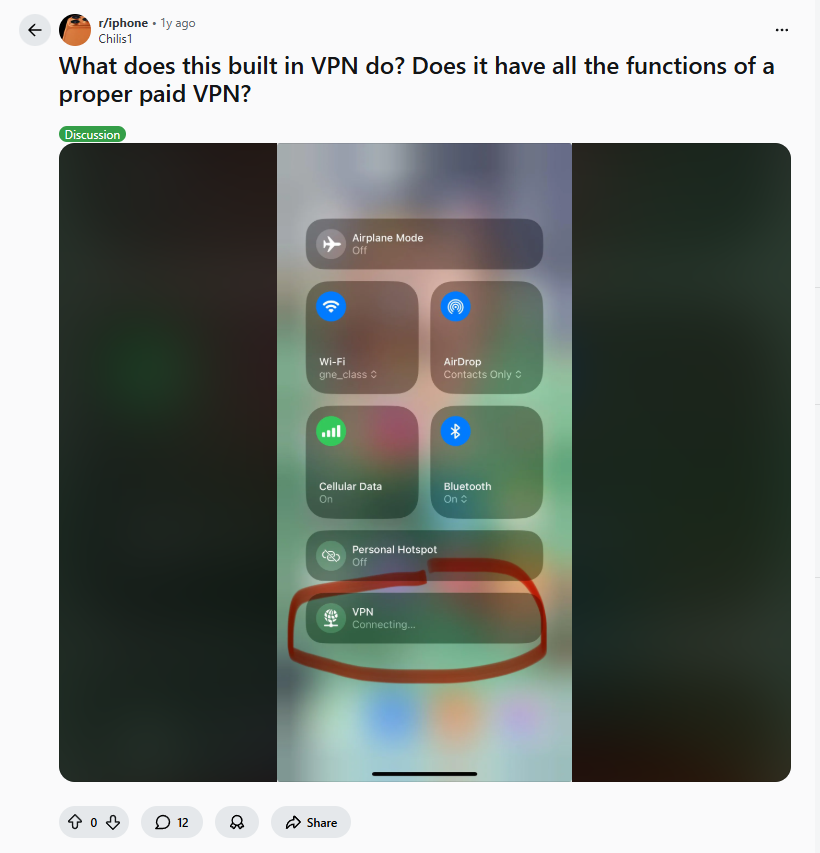
The user even posted a screenshot showing the VPN toggle in Control Center, appearing alongside fundamental connectivity options like Wi-Fi and Bluetooth. This visual placement reinforces the misconception that VPN is a built-in Apple service.
The reality, as explained by experienced users, is more nuanced—and understanding this distinction is crucial for your privacy and security in 2025.
What That “VPN” Setting Actually Is: The Client, Not the Service (iPhone VPN Toggle)
The #1 clarification comes from technical users who understand iOS architecture:
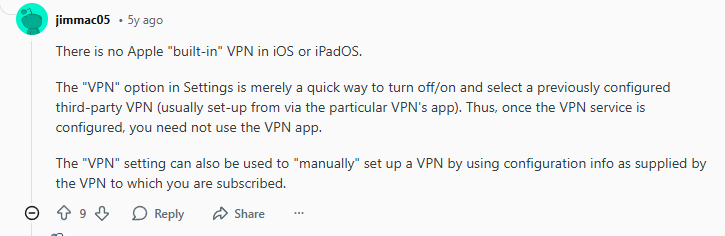
“There is no Apple ‘built-in’ VPN in iOS or iPadOS. The ‘VPN’ option in Settings is merely a quick way to turn off/on and select a previously configured third-party VPN (usually set-up via the particular VPN’s app).”
Translation for 2025: Think of it like this:
- Your iPhone’s VPN setting = An empty electrical outlet
- A VPN service = The appliance you plug into that outlet
- Without a VPN subscription = Outlet with nothing plugged in
Another user provided the perfect analogy:
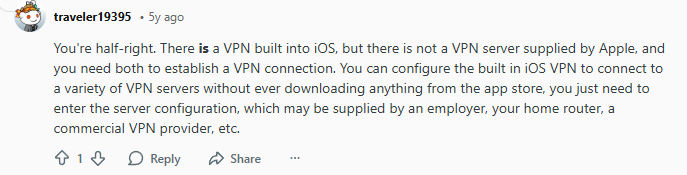
“You’re half-right. There is a VPN built into iOS, but there is not a VPN server supplied by Apple, and you need both to establish a VPN connection.”
The Technical Reality: iOS includes a VPN framework that supports industry-standard protocols (IKEv2, IPsec, WireGuard). This framework is the “receiver” that can connect to VPN “transmitters” (servers) you provide.
How Real Users Actually Use This Feature (iPhone VPN Toggle)
For those with VPN subscriptions, the built-in client becomes a convenient control center:
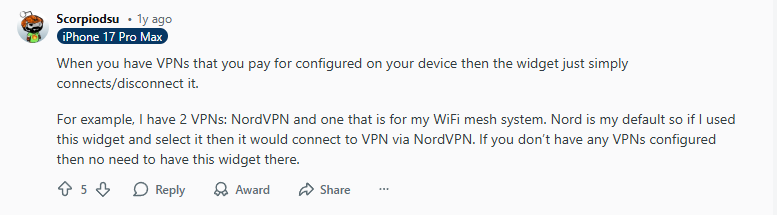
*”When you have VPNs that you pay for configured on your device then the widget just simply connects/disconnects it. For example, I have 2 VPNs: NordVPN and one that is for my WiFi mesh system. Nord is my default so if I used this widget and select it then it would connect to VPN via NordVPN.”*
2025 Usage Scenario: Most premium VPN apps (NordVPN, Surfshark, ExpressVPN, Proton VPN) automatically configure this built-in client when you install their apps. You then have two ways to control your VPN:
- Through the VPN app itself
- Through iOS Settings → VPN (or Control Center widget)
Pro Tip in 2025: You can create VPN shortcuts in iOS Shortcuts app to:
- Auto-connect VPN when joining specific Wi-Fi networks
- Disconnect VPN when opening banking apps (if you want)
- Toggle VPN with a single tap or voice command
iCloud+ Private Relay: Apple’s “VPN-Lite” That Confuses Everyone (iPhone VPN Toggle)
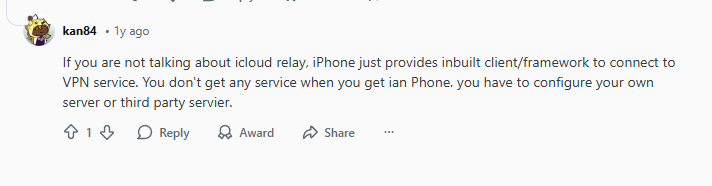
The confusion deepens with Apple’s iCloud+ Private Relay, which many mistake for a VPN. A Reddit user clarified this distinction:
“If you are not talking about icloud relay, iPhone just provides inbuilt client/framework to connect to VPN service. You don’t get any service when you get an iPhone, you have to configure your own server or third party server.”
2025 Comparison: Built-in VPN Client vs iCloud+ Private Relay (iPhone VPN Toggle)
| Feature | iOS VPN Client (What you see in Settings) | iCloud+ Private Relay |
|---|---|---|
| What it is | Connection framework | Privacy proxy service |
| Cost | Free (but needs VPN service) | $0.99+/month (with iCloud+) |
| Protection scope | All device traffic | Safari & Mail only |
| Network coverage | Wi-Fi + Cellular | Wi-Fi only |
| Server locations | Your VPN provider’s servers | Limited Apple proxy regions |
| Encryption | Full device encryption | Web traffic encryption only |
| Who provides it | You (via third party) | Apple |
Critical 2025 Update: Private Relay still doesn’t work with:
- Cellular data (5G/LTE)
- Many work/school networks
- Banking and government sites
- Apps outside Safari/Mail
What a Real VPN Provides That iPhone’s Framework Alone Doesn’t
Understanding what’s missing helps justify why you need a real VPN service:
1. VPN Servers Worldwide (iPhone VPN Toggle)
The iOS client is useless without servers to connect to. Premium VPNs offer:
- 3,000-6,000 servers in 50+ countries
- Optimized servers for streaming, gaming, torrenting
- Specialty servers for specific needs (P2P, double VPN)
2. Security Infrastructure (iPhone VPN Toggle)
- Military-grade encryption (AES-256)
- Kill switches that block all traffic if VPN drops
- DNS leak protection
- Threat blocking (malware, ads, trackers)
3. Privacy Protections (iPhone VPN Toggle)
- Strict no-logs policies (independently audited)
- Anonymous payment options
- Transparency reports
- RAM-only servers (data wiped on reboot)
4. Performance Features (iPhone VPN Toggle)
- WireGuard protocol optimization
- Speed-optimized servers
- Unlimited bandwidth
- Multi-hop connections
How to Actually Set Up VPN on iPhone in 2025
Method 1: App Store VPN (Easiest for Most Users) – (iPhone VPN Toggle)
- Download VPN app (NordVPN, Surfshark, etc.)
- Create account/subscribe
- Open app → tap “Connect”
- The app automatically configures iOS’s built-in VPN client
Method 2: Manual Configuration (Advanced) – (iPhone VPN Toggle)
For custom/work VPNs:
- Get configuration details from your VPN provider
- Settings → General → VPN & Device Management → VPN
- Tap “Add VPN Configuration”
- Enter server, account, password, protocol
- Tap “Done” → toggle to connect
Method 3: Using VPN Profiles – (iPhone VPN Toggle)
Some providers offer .mobileconfig files:
- Download profile from your VPN provider
- Tap to install
- Go to Settings → Profile Downloaded
- Tap “Install” → enter passcode if prompted
Best VPNs That Work Perfectly with iPhone’s Built-in Client
These services optimize for iOS integration while providing the actual VPN service you need:
1. NordVPN: Best iOS Integration (iPhone VPN Toggle)
2. Surfshark: Best for Multiple Configurations (iPhone VPN Toggle)
3. Proton VPN: Best for Manual Configuration (iPhone VPN Toggle)
Common Mistakes & How to Avoid Them in 2025
Mistake 1: Thinking “VPN Connected” Means You’re Protected (iPhone VPN Toggle)
Reality: “Connected” just means your iPhone is talking to a VPN server. If that server is:
- Free and logging your data
- Poorly encrypted
- Actually malicious
Solution: Only use reputable, audited VPN providers.
Mistake 2: Using Free VPNs That Abuse the iOS Framework (iPhone VPN Toggle)
Many free VPNs use iOS’s built-in client to:
- Inject ads into your traffic
- Sell your browsing data
- Use your device for crypto mining
Solution: Stick to premium providers with transparent business models.
Mistake 3: Confusing Private Relay with VPN Protection (iPhone VPN Toggle)
Reality: Private Relay is better than nothing but fundamentally different. As one Redditor noted, without a real VPN service, “you don’t get any service when you get an iPhone.”
Solution: Use Private Relay for casual browsing, real VPN for everything else.
Mistake 4: Not Checking for VPN Leaks (iPhone VPN Toggle)
Even with “Connected” status, your iPhone might leak:
- DNS requests (showing what sites you visit)
- IPv6 traffic (bypassing VPN entirely)
- WebRTC data (revealing your real IP)
Solution: Regularly test at ipleak.net with your VPN connected.
iPhone VPN Settings You Should Configure in 2025 (iPhone VPN Toggle)
1. Enable “Connect On Demand”
Settings → General → VPN & Device Management → Your VPN → Connect On Demand
- When: On untrusted Wi-Fi networks
- Why: Auto-connects VPN when needed
2. Configure “Always-on VPN”
Same menu → Always-on VPN
- Caution: Can cause battery drain
- Best for: High-security needs only
3. Set Up VPN by App (iOS 18+)
Settings → [VPN App Name] → Allow VPN
- Per-app control: Choose which apps use VPN
- Example: Banking apps always through VPN, games direct
4. Create Control Center Widget
Settings → Control Center → Add VPN
- Quick toggle: Connect/disconnect from anywhere
- Status check: See if VPN is active at a glance
Frequently Asked Questions (2025 Update) – (iPhone VPN Toggle)
Q: If iPhone doesn’t include VPN, why does it have VPN settings?
A: For the same reason it has Mail settings without including an email service, or Calendar settings without including a calendar service. iOS provides frameworks that third-party services utilize.
Q: Can I use the built-in VPN client without any app?
A: Yes, via manual configuration if you have VPN server details. Most users find apps easier.
Q: Why do some apps bypass my VPN connection?
A: Some apps (especially banking) use certificate pinning or direct connections that bypass VPN. iOS also allows some system services to bypass VPN for functionality.
Q: Can I use multiple VPNs simultaneously on iPhone?
A: No, only one VPN connection at a time. However, you can have multiple configurations and switch between them.
Q: Does the iOS VPN client work with all VPN protocols?
A: Supports IKEv2, IPsec, L2TP, and WireGuard (via configuration). Some proprietary protocols require their specific app.
The Bottom Line: What You Actually Need in 2025 (iPhone VPN Toggle)
That VPN toggle in Settings isn’t a gift—it’s an invitation. An invitation to:
- Choose a reputable VPN provider (not a free data-mining service)
- Configure proper protection through their app or manual setup
- Understand what you’re actually getting (full VPN vs Private Relay)
- Take control of your privacy rather than assuming Apple handles it
As the Reddit discussion revealed: “You don’t get any service when you get an iPhone.” The framework is there, waiting for you to provide the actual VPN service.
In 2025, mobile privacy isn’t optional—it’s essential. That VPN toggle represents Apple giving you the tools, but you must provide the actual protection.
Leave a Reply